|

|
Water jet cutting machine control software screen captures
We offer CNC waterjet cutter and CNC plasma cutter software in languages of English, Russia
and Spanish. The screen shots below give a general idea of the user interface of the CNC waterjet cutter control
software, the configurable parameters of the waterjet system, the supported operations of the water
jet cutter, and the compatible file formats with other CAD and CAM softwares.
Software characteristics:
That software included the following functions:
It is basic to install three axles and can be extended further for waterjet cutter or plasma cutter.
Support numerical control rotating platform.
Process automatically. Completely support the instruction of G and the HP PLT format of ISO standard.
Manual function. It can support to control the machine tool not only by input equipment of machine tool
but also by input equipment of computer, for example keyboard and mouse to complete manual operation.
The function of incremental feed. It can make the customer convenience to set the amount of feed, and the
length of step can be adjusted for waterjet cutter.
The function of the manual data input (MDI). Customer can input and immediately execute G-instruction online.
Advanced manual data input. As long as you input several parameters, you can complete the function of milling or drawing.
Single block mode. Customer can set the processing assignment as a single block mode thereby it will provide a
good support for diagnosis mistake and malfunction restoring.
The advanced automatic function of breakpoints remembering and separate segment executing. This is especially
useful with waterjet cutter when there are many reasons that cutting process can be interrupted.
The feeding axle can come back to the machine original point accurately.
The cutter can adjust itself automatically
The online adjustment of feed rate. Customer can adjust the feed rate at any time in processing from 0%(smallest)
to 120%(biggest).
Characteristics of the high smooth connection speed. In general numerical control system, there is an constant
speed between two pieces of G instructions, for example it will equal to zero or a quite small number. In new version,
it adopts a special suitable forecast-arithmetic of processing speed. That arithmetic is according to the connection
speed of magnitude, direction, the biggest acceleration and the fore forecast function, to adjust itself and decide
the joining speed between the current instruction and the next instruction. This special character not only improves
the processing efficiency (about from 30% to 300%) consumed, but also improves the function of processing and removed
the exterior veins in processing.
The function of three-dimensional simulation show with out turing on the valves of waterjet cutter or
plasma arc. Through simple operation, you can observe the result of
three-dimensional process and then you can realize the result more accurately and more frankly.
The function of simulation. It can make a fast simulation of the processing procedure to process and complete in
a short time, checking whether the waterjet cutting procedure comes true or not at the same time,
whether the result of processing is satisfaction or not, and can compute accurately
how long we need in fact in processing. This is extreamly useful in estimating the service cost of waterjet cutting.
The strong and agile keyboard supports. The new version gives very strong support to the keyboard operation. It
satisfies the customer's demand in operation in processing.
Log function. The system provided the mighty daily record function, helping the customer inspect the processing
information and system diagnosis detailly.
The inside file editor
Customer can load the processing procedure to the editor to edit and modify.
The file information of processing
Through simulate or actual processing, the dialog box of file processing information can help
customers count the file running time and the range of processing etc.
PCI motion control card.
The basic requirements
Host computer
CPU: Pentium(586) or above.
EMS memory: 32 M or above.
Hard disk: 2 G or above
Display adapter: support 800*600 at least, enhanced color mode
Display: 14" VGA or above
CD-ROM driver: 4X or higher
Main board expanding slot: one slot of PCI or ISA
Operation system
Microsoft Windows 98 or
Microsoft Windows Me or
Microsoft Windows 2000 Professional or
Microsoft Windows XP Professional or
Microsoft Windows7 Professional
|
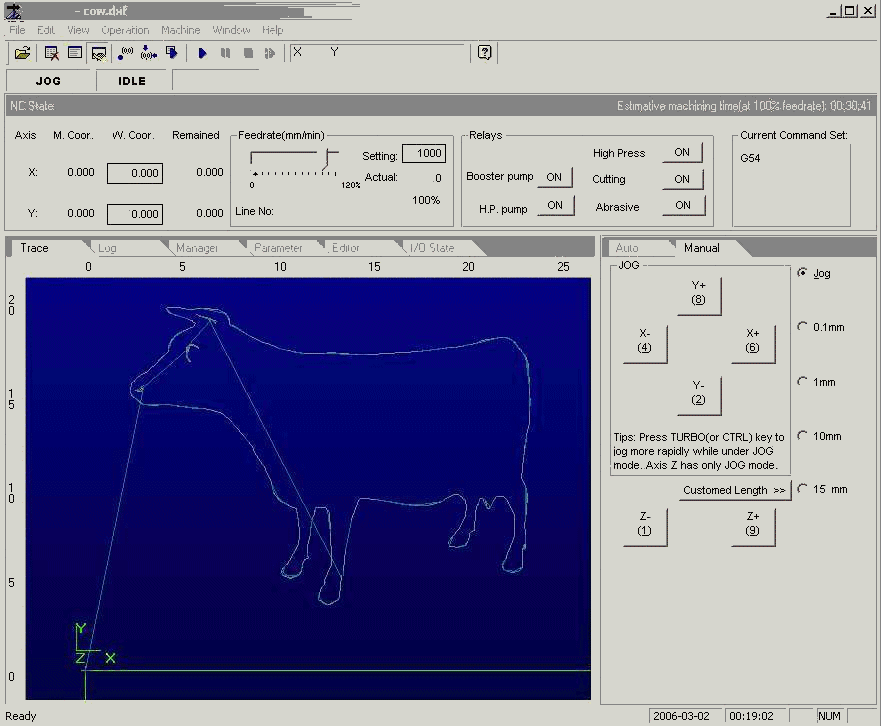
This is the main window of the CNC waterjet cutter control software.
The upper portion shows
the pull down menus and the status. Lower left is some utility tabs.
Lower right is mouse clickable manual control.
|
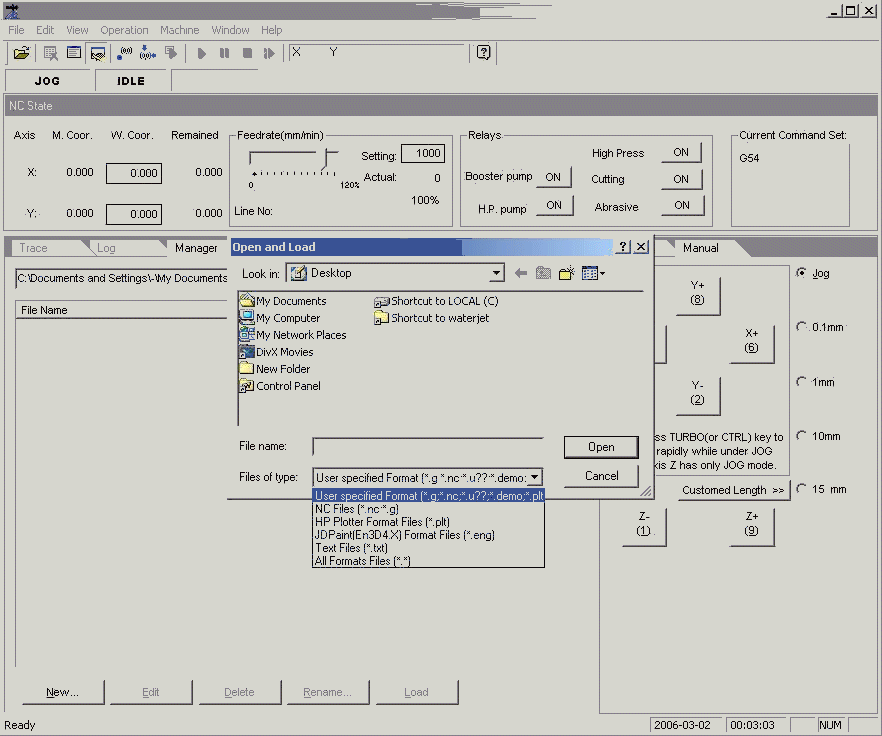
The "Open and Load" pop up window for loading the design from a file.
It shows other than the default .dxf, the software can also read .g .nc .plt .eng formats for waterjet cutter.
|
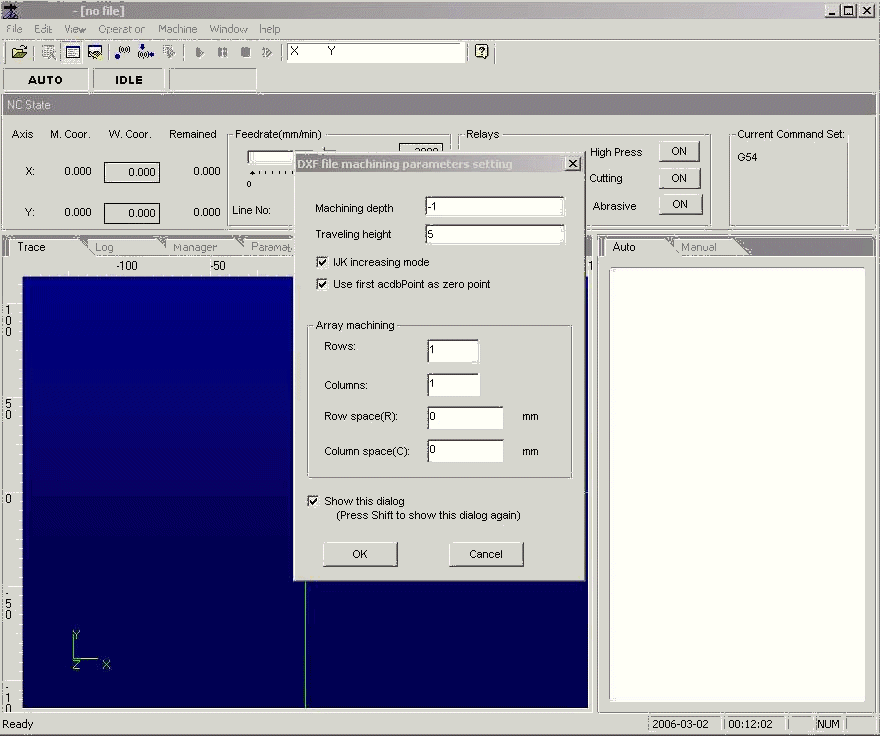
Setting DXF file machinning parameteres. Simple nesting setup can be done in this window
for waterjet cutting.
|
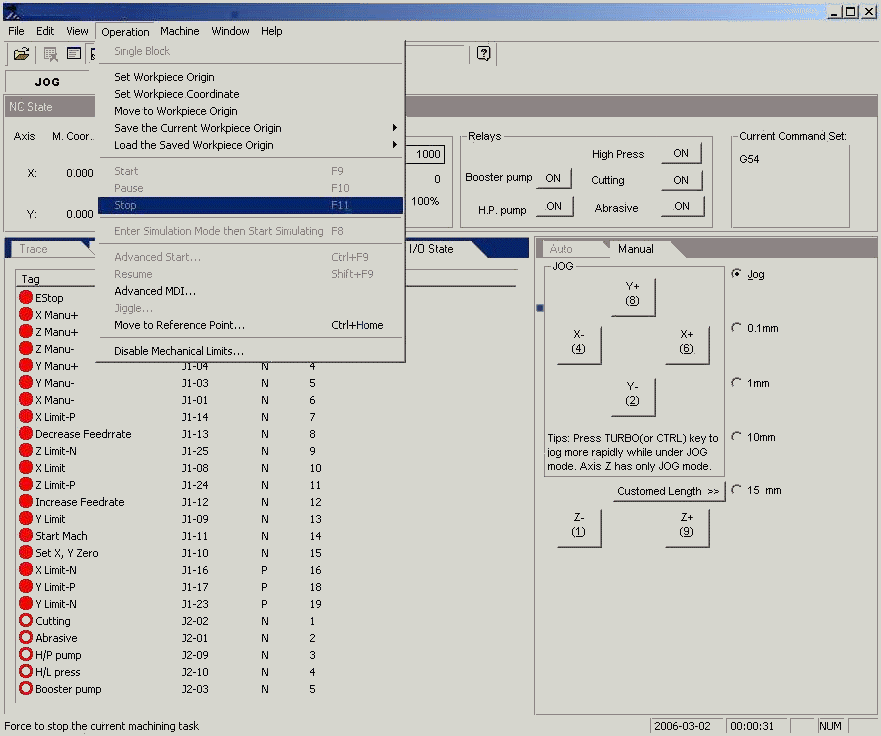
The "Operation" pull down menu.
set workpiece origin etc.
|
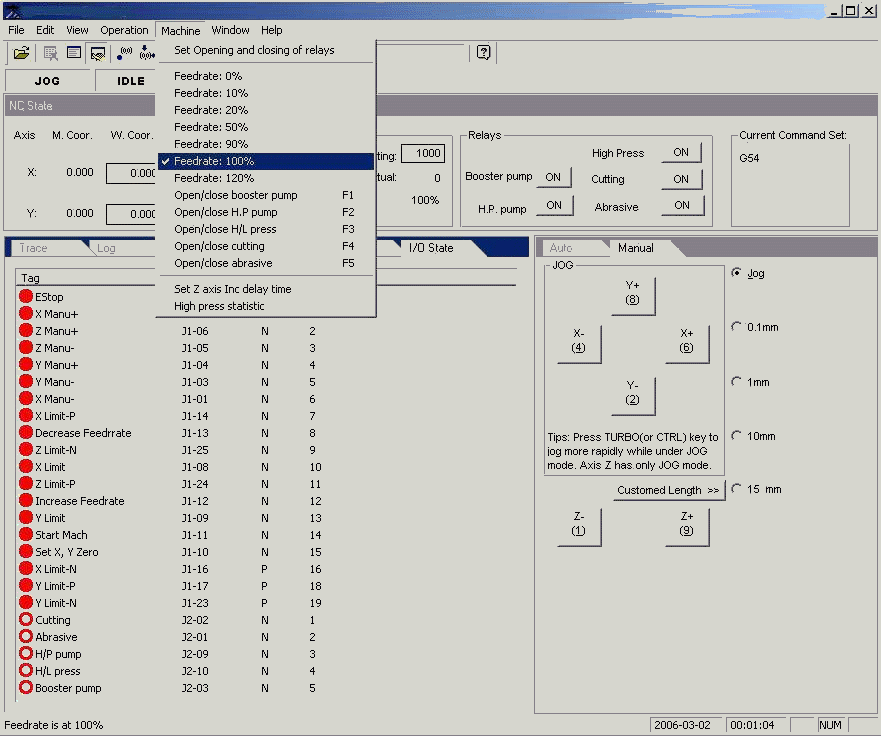
The "Machine" pull down menu.
Open or close abrasive, set feedrate.
Also showing the I/O state
|
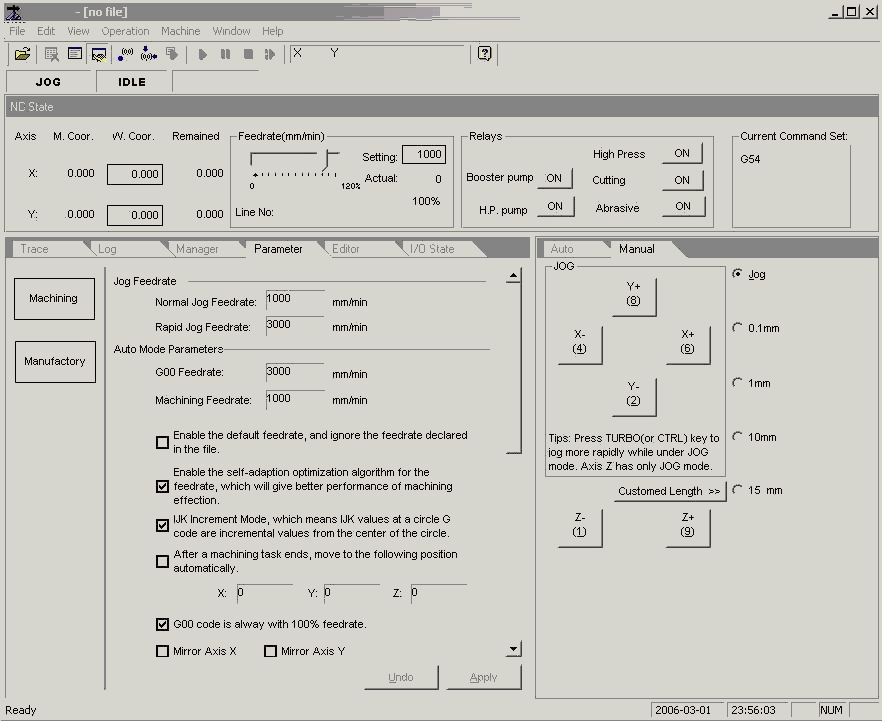
Set the water jet machine cutting parameters. Including cutting speed,
and cutting head moving speed when not cutting. (G00)
|
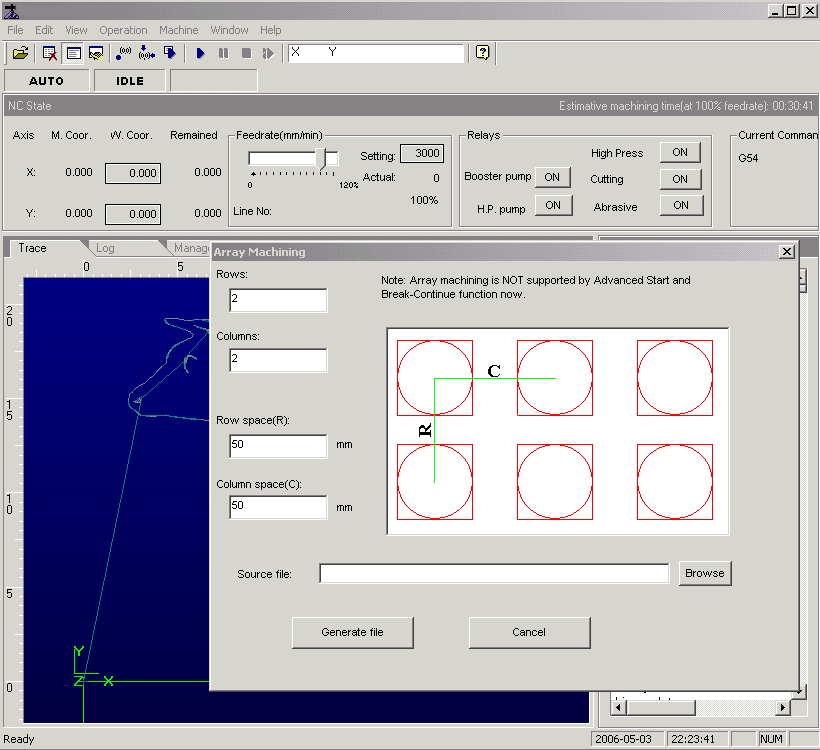
Waterjet cutter software has simple nesting of small designs. Choose row and column numbers
to define the array of nesting.
|
|
|
|